
How many mailboxes do you need, and what will it cost?
Size your email infrastructure across Google Workspace, Microsoft 365, and Azure. Start from a daily send volume, or work backwards from the meetings you want to book, and see the mailboxes, domains, and monthly cost it takes to get there.
To send 1,000 cold emails a day you need about 67 to 69 Google Workspace mailboxes across roughly 23 domains. Set your volume or meetings goal below to see your exact mailboxes, domains, and monthly cost.
Cold email cost calculator
Estimate mailboxes, domains, and monthly cost for Google Workspace, Microsoft 365, and Azure.
About 1,364 emails per day across 22 sending days.
Effective monthly cost
How many mailboxes do I need?
A safe deliverable rate is about 15 emails per day per Google Workspace mailbox and about 5 per Microsoft 365 mailbox. To send 1,000 emails a day on Google you need about 67 mailboxes. The calculator sizes this automatically from your target volume, or works backwards from the meetings you want to book.
What you are actually paying for
Cold email pricing looks like one per-mailbox number, but most of the value, and most of the surprises, sit underneath it. Here is what the price includes, what scales it, and the costs people forget to budget.
What every mailbox includes
- A real Google Workspace, Microsoft 365, or Azure account, not a grey-market or recycled one
- US-based sending IPs
- SPF, DKIM, and DMARC configured automatically, usually in under 10 minutes
- Per-domain isolation, so one bad mailbox does not drag down the rest
Why the price scales the way it does
- Google and Microsoft are billed per mailbox at $3.10, each with a safe daily send limit (about 15 a day on Google, 5 on Microsoft)
- Azure is billed per tenant, not per mailbox
- More volume simply means more mailboxes, the per-mailbox rate stays the same
- Annual billing saves up to 20 percent. Past 200 mailboxes (or 10 Azure tenants) you move to custom volume pricing
Costs people forget to budget
- Domains are billed once a year, separate from the monthly cost
- You need roughly one domain for every 3 mailboxes
- Warmup is an optional add-on, priced per mailbox
- InfraGuard deliverability monitoring is priced per domain
What the price quietly protects you from
- Domain burning and permanent sender-reputation damage
- Landing in spam instead of the primary inbox
- Cheap or fake accounts that get suspended mid-campaign
- Cross-contamination, where one bad mailbox infects the whole setup
See it in the dashboard
The mailboxes and domains the calculator sizes are the same ones you manage in InboxKit, with deliverability monitoring built in.
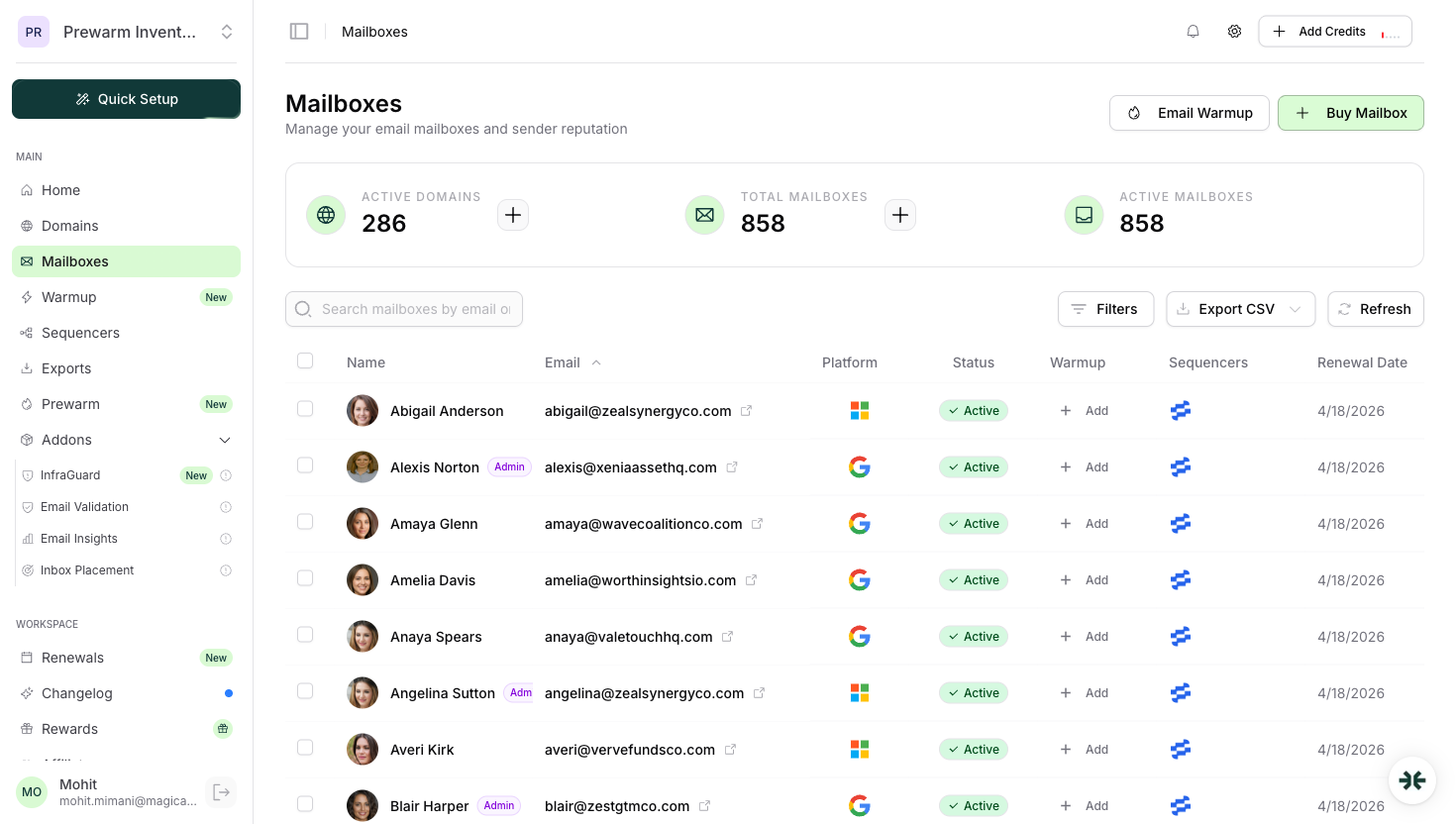
Real Google, Microsoft, and Azure mailboxes, provisioned and ready to send.

Domains with SPF, DKIM, and DMARC configured automatically.
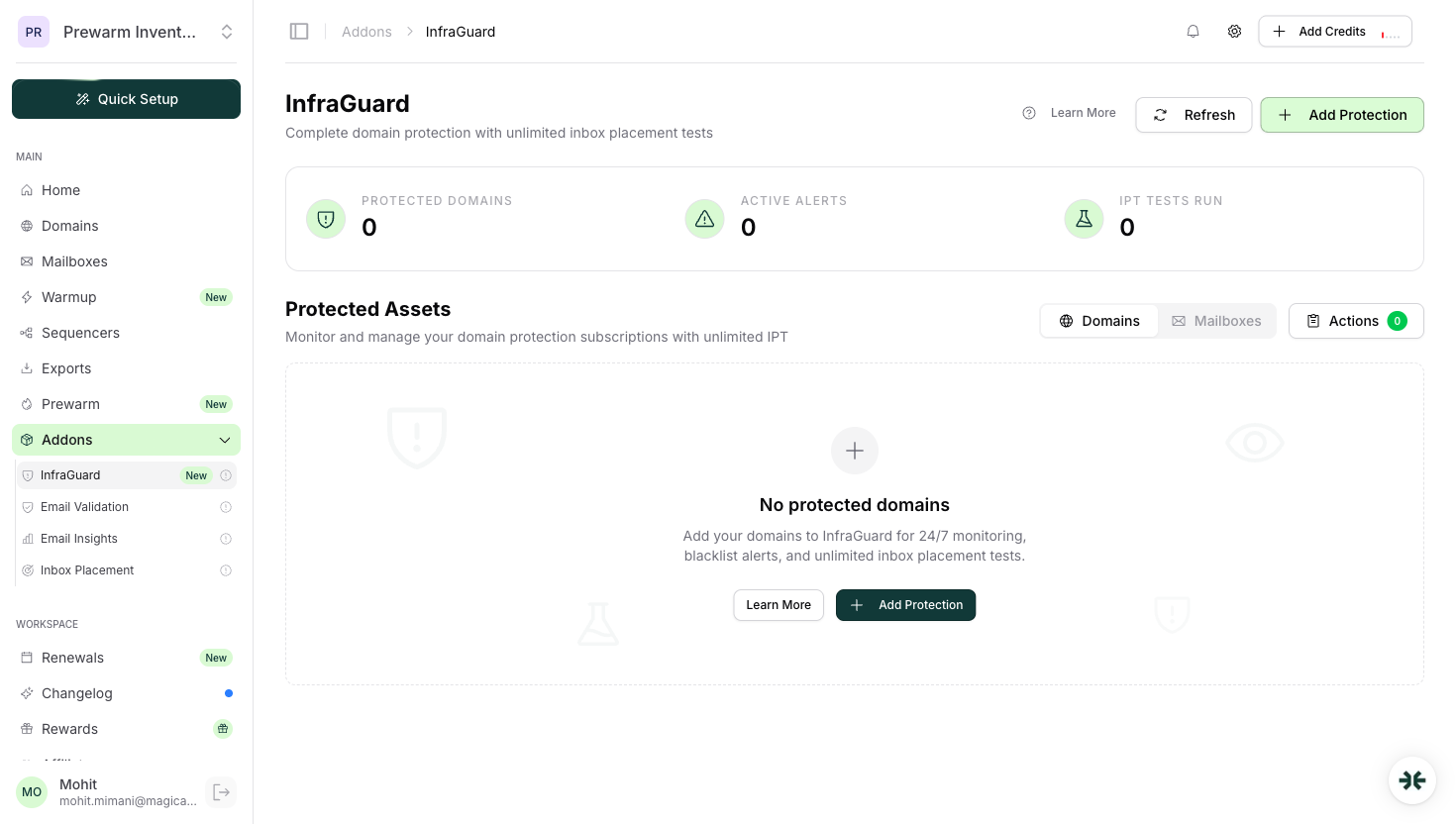
Blacklist, DNS, and deliverability monitoring across your infrastructure.
How is the price calculated?
No black box. Every figure comes from four simple steps, and you can change any assumption in the calculator's advanced settings.
- 1Start from sends, or a goal
Enter a daily send volume. In reverse mode, enter a monthly meetings goal and we convert it through your reply rates into the emails per day you need to send.
- 2Size the domains
Domains equal your daily volume divided by (mailboxes per domain times the per-mailbox daily limit), rounded up. The defaults are 3 mailboxes per domain and about 15 emails a day on Google, 5 on Microsoft.
- 3Fill in the mailboxes
Mailboxes equal the domain count times the mailboxes per domain, so the total capacity always covers your target volume.
- 4Add up the cost
Google and Microsoft mailboxes are $3.10 each and Azure is billed per tenant, so mailboxes times the rate (plus any Azure tenants) is the recurring monthly cost. Annual billing saves up to 20 percent, domains are billed once a year on top, and past 200 mailboxes pricing becomes a custom volume quote.
Say you want to send 1,000 emails a day, all on Google. Domains = 1,000 divided by (3 times 15) = 23 (rounded up). Mailboxes = 23 times 3 = 69. At $3.10 per mailbox that is about $214 a month, plus 23 domains billed once a year. Plug 1,000 into the calculator above and you will see the same 69 mailboxes and 23 domains.
Frequently asked questions
It depends on your daily send volume. A safe deliverable rate is roughly 15 emails per day per Google Workspace mailbox and about 5 per Microsoft 365 mailbox. To send 1,000 emails a day on Google you need about 67 mailboxes. The calculator sizes this automatically from your target volume, or works backwards from the meetings you want to book.
Working backwards from typical cold email benchmarks: if about 1.5% of sent emails get a positive reply and about 30% of positive replies turn into a booked meeting, you need roughly 220 emails sent per meeting booked. Every account is different, so the calculator lets you edit both rates to match your real numbers.
InboxKit provisions about 3 mailboxes per domain on Google Workspace and Microsoft 365 to protect sender reputation and avoid cross-contamination. Azure is billed per tenant rather than per domain. You can change the mailboxes-per-domain assumption in the calculator's advanced settings.
Google and Microsoft mailboxes are $3.10 each on the standard plan, with up to 20% off on annual billing. Azure is billed per tenant rather than per mailbox. Past 200 mailboxes (or 10 Azure tenants) pricing moves to a custom volume quote, which is where rates drop below $3. The calculator shows your effective monthly cost and first-year total once you set your volume or meetings goal.
Yes. Switch the calculator to reverse mode, enter how many meetings you want to book per month, and it works back through positive replies and emails sent to the daily volume, mailboxes, domains, and monthly cost required to hit that goal.
Each mailbox is a real Google Workspace, Microsoft 365, or Azure account on a US IP, with SPF, DKIM, and DMARC configured automatically and per-domain isolation to protect your sender reputation. Google and Microsoft are $3.10 per mailbox on the standard plan, while Azure is billed per tenant, with up to 20% off on annual billing. Volume pricing below $3 is custom, past 200 mailboxes.
Domains are billed once a year, separate from the recurring monthly cost, and you need about one domain for every 3 mailboxes. Warmup is an optional add-on priced per mailbox, and InfraGuard deliverability monitoring is priced per domain. Past 200 mailboxes (or 10 Azure tenants) pricing moves to a custom volume quote.